Web & applications
CRM & custom software
A CRM or business tool should reflect the process it supports. I help define customer records, pipeline stages, permissions and reporting before moving into a phased application plan.
Enquire about this service ↗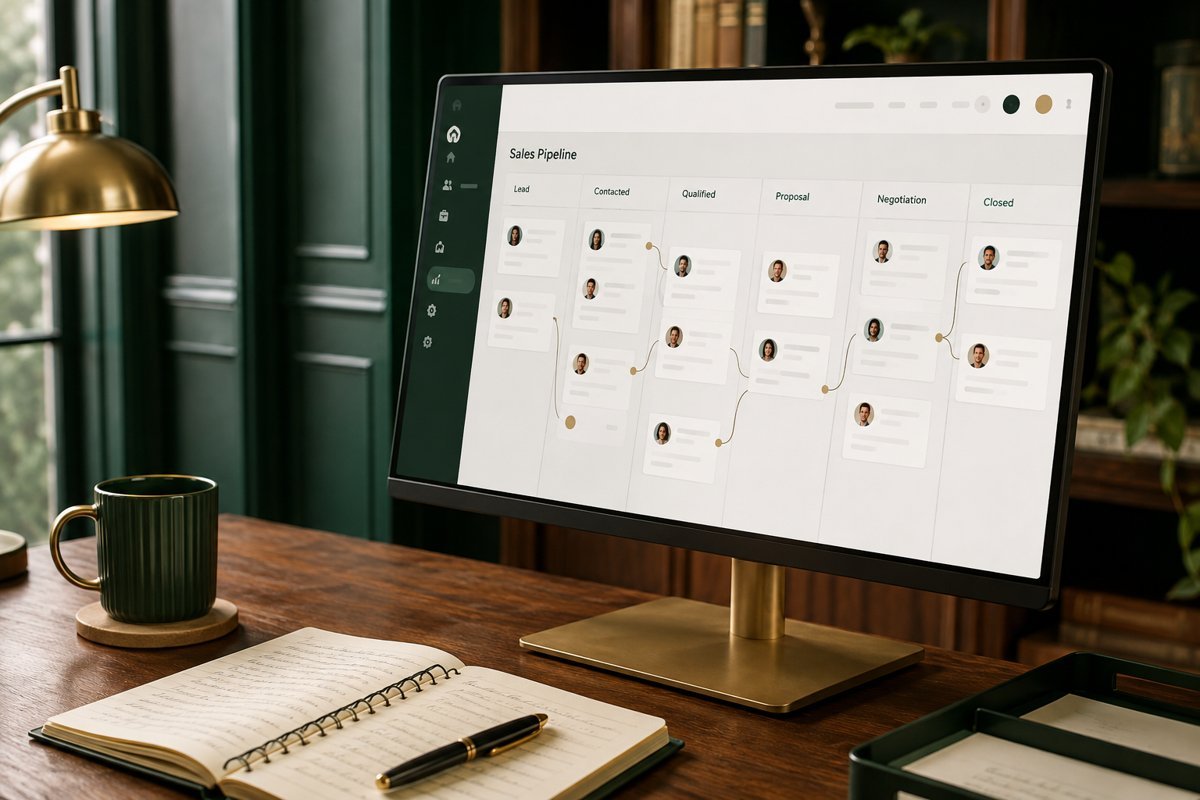
HOW I CAN HELP
Build software around the way your team works.
Dashboards and access roles
Custom application and integration scope

THE APPROACH
From the brief to a clear direction.
Yes. I can help with lead capture, pipeline stages, contact records, tasks and reporting, shaped around how your team actually works.
Your pipeline, current tools, user count and key reporting needs.

THE APPLICATION
Built around the way you work.
Yes. We can map the enquiry fields, routing, ownership and follow-up steps, then connect the systems where suitable access and integrations are available.
Discuss your briefA CRM that nobody trusts gets abandoned within months, however good the software is. The usual cause is not the product but a mismatch between how the system models your sales process and how your team actually sells. I work on that mismatch first, and only then on screens, fields and automation.
Packaged CRM or custom build: how I help you decide
Many businesses do not need custom software. A configured off-the-shelf CRM handles lead capture, pipeline stages, tasks and reporting well enough for a lot of teams, and it comes with years of maintenance you do not have to pay for. I will say so if that is your situation.
Custom work starts to make sense when your process is unusual, when you need to combine customer records with operations such as quotes, jobs or onboarding, when permissions are complicated, or when you are paying for a tool and working around it every day. The decision is about fit and long-term ownership, not about which option sounds more impressive.
I try to leave the decision with numbers you can check yourself: how many users, how many records, how much of your process is standard, what you would pay each month for a product, and what a custom build would cost to create and maintain. Maintenance is the figure people forget. Custom software needs hosting, updates, fixes and someone who understands it. If you cannot name who that will be, that matters more than the build price.
The best CRM is the one your team updates without being reminded.
Describing the pipeline in your words, not the software's
I begin by walking through how an enquiry becomes a customer in your business. Where does it arrive, who first responds, what makes it qualified, what happens when a prospect goes quiet, and what counts as won or lost. We write this down in plain language before any tool is chosen.
That description becomes the set of pipeline stages, with a clear rule for moving a record from one stage to the next. Vague stages such as 'in progress' make reporting meaningless later. If two people in your team describe the same stage differently, we settle that now.
Pipelines also differ by business type. A service business may track enquiries, proposals and projects. A distributor may track accounts, orders and renewals. A recruiter tracks candidates and clients at once. I ask about the exceptions, the deals that do not fit the normal path, because a pipeline that handles only the average case gets bypassed.
What goes into the requirements
Requirements for a CRM are mostly about records, ownership and visibility. I keep them short and specific so that they can be tested after the build.
A requirements document of this kind is usually a few pages. It is deliberately boring, because the aim is for everyone to read the same thing and agree on it.
A short list of what to leave out is as valuable as the list of what to include. Every extra field is a small tax on someone's time, and over a year that adds up. I usually propose a first version with fewer fields than the team expects, then add the ones people ask for once they have used it. That order produces cleaner data than the reverse.
Reports are best specified as sentences. Instead of asking for a funnel chart, write 'show me which leads have not been contacted in two days' or 'show me the value of deals expected to close this month, by owner'. The wording makes the required data obvious, and it makes it easy to check later whether the report actually answers the question it was built for.
- Record types: contacts, companies, deals, tasks, notes and anything unique to your business.
- Fields that matter, and the ones that look useful but nobody will fill in.
- Roles and permissions: who sees which records, who can edit, who can export.
- Rules for assignment, reminders and follow-up when a lead is not contacted.
- Reports and dashboards, written as the questions each person needs answered.
Connecting website enquiries, email and other tools
A CRM is only as complete as the data entering it. The first connection is usually your website: forms, calls, chats and ad leads need to arrive in one place with the source attached, so you can later see which channels produce serious enquiries and not just volume. This also depends on sound tracking, which is part of what I set up in the analytics work I do elsewhere.
Beyond that, we decide which other systems should talk to it, such as email, accounting, a support tool or a messaging channel. Each connection is scoped separately, because availability depends on the access and interfaces each tool provides. I would rather leave an integration out of version one than ship one that breaks quietly.
Routing and ownership rules deserve care. If a website lead arrives at night, who sees it first, and what is the expected response time? If two people claim the same contact, what decides? I write these as simple rules with a named owner and a fallback, so a lead can never sit unassigned without somebody noticing.
Dashboards that lead to a decision
Dashboards are easy to overbuild. I start from the decisions: which leads need attention today, where deals are stalling, which sources are worth more budget, which team member needs help. Every chart on a dashboard should map to one of those.
I also pay attention to data quality, since a report built on half-filled fields misleads more than it informs. Where possible, we make the important fields required at the right moment in the process, and make the rest optional. That keeps entry quick for the team and the reports honest for management.
Access to the dashboards should match the roles. A sales person needs a daily working view of their own leads. A manager needs team and pipeline views. An owner needs a handful of figures that show whether the business is on track. Giving all three the same screen helps none of them, and a good design reduces how often anyone has to ask for a custom report.
Rolling it out so people actually use it
Adoption is a project of its own. I recommend starting with one team or one pipeline, running it for a few weeks and adjusting before the whole company moves over. Existing records need cleaning and importing, with duplicates resolved and owners assigned, and that task is usually bigger than people expect.
Short walkthroughs, a one-page guide for each role and a named person who owns the system after launch matter more than extra features. If nobody owns the CRM, it drifts. Phases, scope boundaries and delivery cost are agreed up front, and delivery is quoted per project.
Training is not an event but a habit. I suggest regular short check-ins in the first month, where the team can raise problems and we adjust fields or stages. People forgive a system that improves visibly in response to feedback; they resent one that is fixed in place by a decision made without them. Keep a short change log so everyone knows what altered and why.
When a custom CRM is not the right move
If you have a handful of leads a week and a single person handling them, a shared spreadsheet and a clear follow-up habit may be enough for now. If the problem is that leads are not arriving, software will not fix it, and the work belongs under performance marketing or SEO strategy instead.
I would also be cautious if the sales process is still being invented. Building software around a process that changes monthly is expensive. In that case, a strategy session to firm up the process comes first, and the tool follows.
A third situation is worth naming: when the existing tool is fine but the data inside it is poor. Duplicate contacts, unclear ownership and missing sources can make any system look broken. A data clean-up and a few agreed habits cost far less than a rebuild, and I will recommend that route when it fits.
WAYS TO WORK TOGETHER
A focused project. Or ongoing support.
Start with a strategy session. We can then agree a project brief, a focused consultation or an ongoing engagement around your priorities.
YOUR QUESTIONS, ANSWERED
CRM & custom software FAQs
Scope, preparation and what happens next.
Can you build a CRM around my sales process?
Yes. I can help with lead capture, pipeline stages, contact records, tasks and reporting, shaped around how your team actually works.
Can you connect my website enquiries to the CRM?
Yes. We can map the enquiry fields, routing, ownership and follow-up steps, then connect the systems where suitable access and integrations are available.
What should I prepare for our first conversation?
Your pipeline, current tools, user count and key reporting needs.
How are the scope and timeline agreed?
I review your requirements, starting material and target date before proposing milestones. For crm & custom software, the schedule depends on complexity, review rounds and the access or assets needed.
How much does this service cost?
Start with a strategy session at ₹2,999 + GST. A digital audit starts from ₹19,999 + GST, and ongoing monthly options start at ₹50,000 + GST for SEO consulting or ₹75,000 + GST for a consulting retainer. Project delivery is scoped and quoted separately; we can choose the right arrangement for your brief.